One STEP file. A reviewable manufacturing package.
CADMation NXT coordinates intake, BOM intelligence, manufacturing drawings and bounded AI review—then gives the designer an evidence trail they can actually sign off.
Automation should remove repetition. Never the designer’s judgment.
CADMation turns a scattered CAD-to-drawing process into one visible run. It shows what it understood, what it plans to draft, what it corrected, and exactly where a person still needs to decide.
ACTIVE RUNAUTHORIZED INTAKE
01 / INTAKE
Start with the right job.
The designer signs in, selects an assigned project, part and work order, then imports STEP or PartLens geometry. CADMation immediately compares the filename with that context.
ASSIGNED JOBVERIFIED
DESIGN FILE TOKENVERIFIED
✓ Context match · identifiers withheld
A mismatch is surfaced before automation begins. Local Mode appears only on a device activated and enabled in the ToolRoom licensing portal.
02 / SMART BOM
See the structure before committing to it.
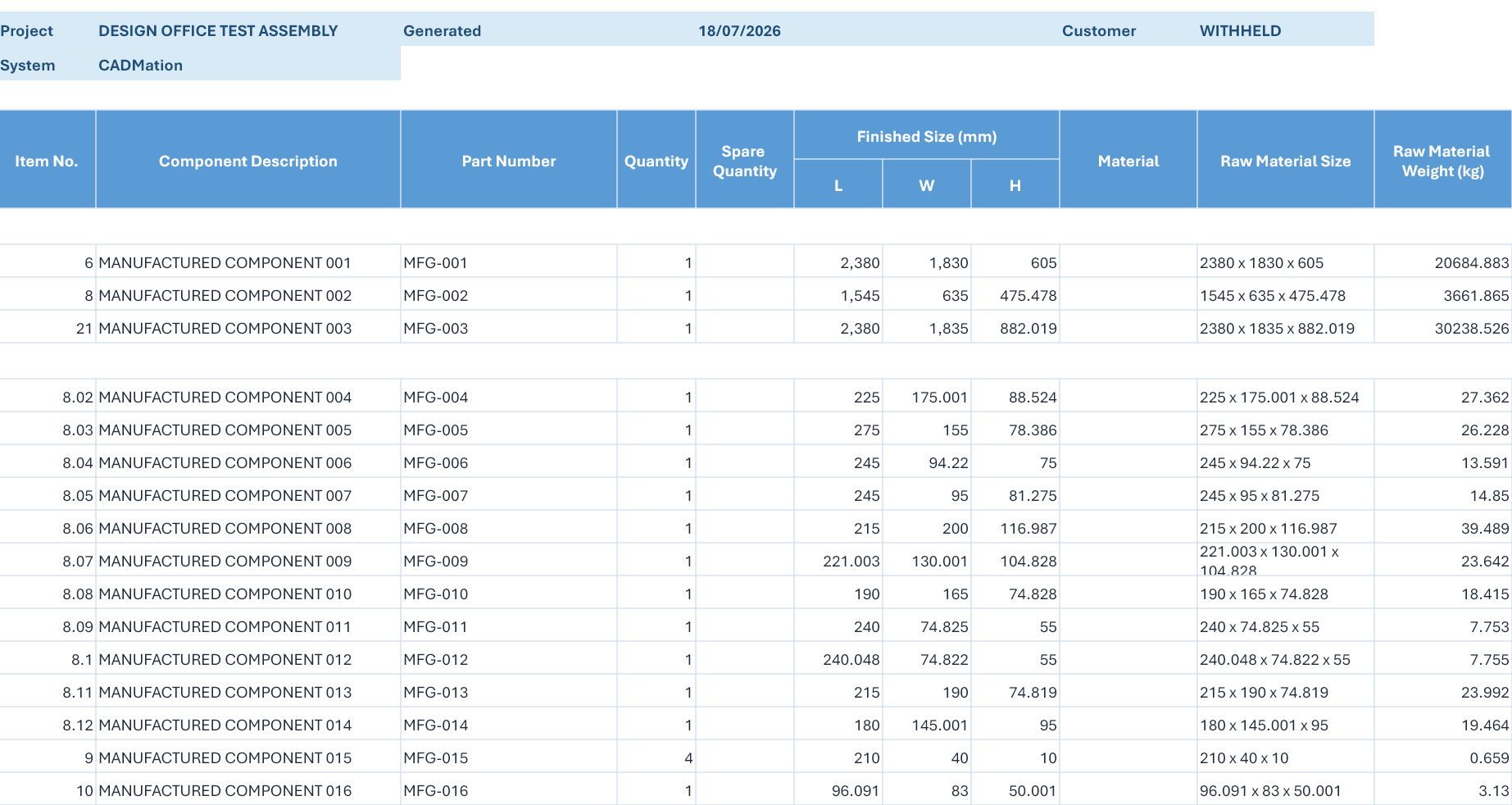
The assembly becomes an editable bill of materials. CADMation proposes quantities, manufactured or standard classification, stock and nomenclature—while keeping every decision visible.
REAL TEST OUTPUTANONYMISED
Real manufactured BOM evidence with quantity, finished L × W × H, raw stock size and weight columns. Component names were replaced.
Choose Full Auto for BOM + drawings, or BOM Auto to stop after the structured review.
03 / DRAFT PLAN
Know which parts will be drafted.
Before drawing begins, the run shows the exact manufacturing parts selected by the planning engine and RAG—plus excluded parts and the rule behind each decision.
MANUFACTURING CANDIDATES30planned for drafting
NON-DETAIL ROWS6skipped before geometry
In the app, each manufacturing component is listed by its private office identifier with its planned output and the rule behind every skip.
04 / DRAFT + REVIEW
The reviewer is allowed to repair.
The AI review agent does more than list faults. Within approved deterministic rules, it can apply a repair, rerender the sheet and audit it again. It cannot invent release authority.
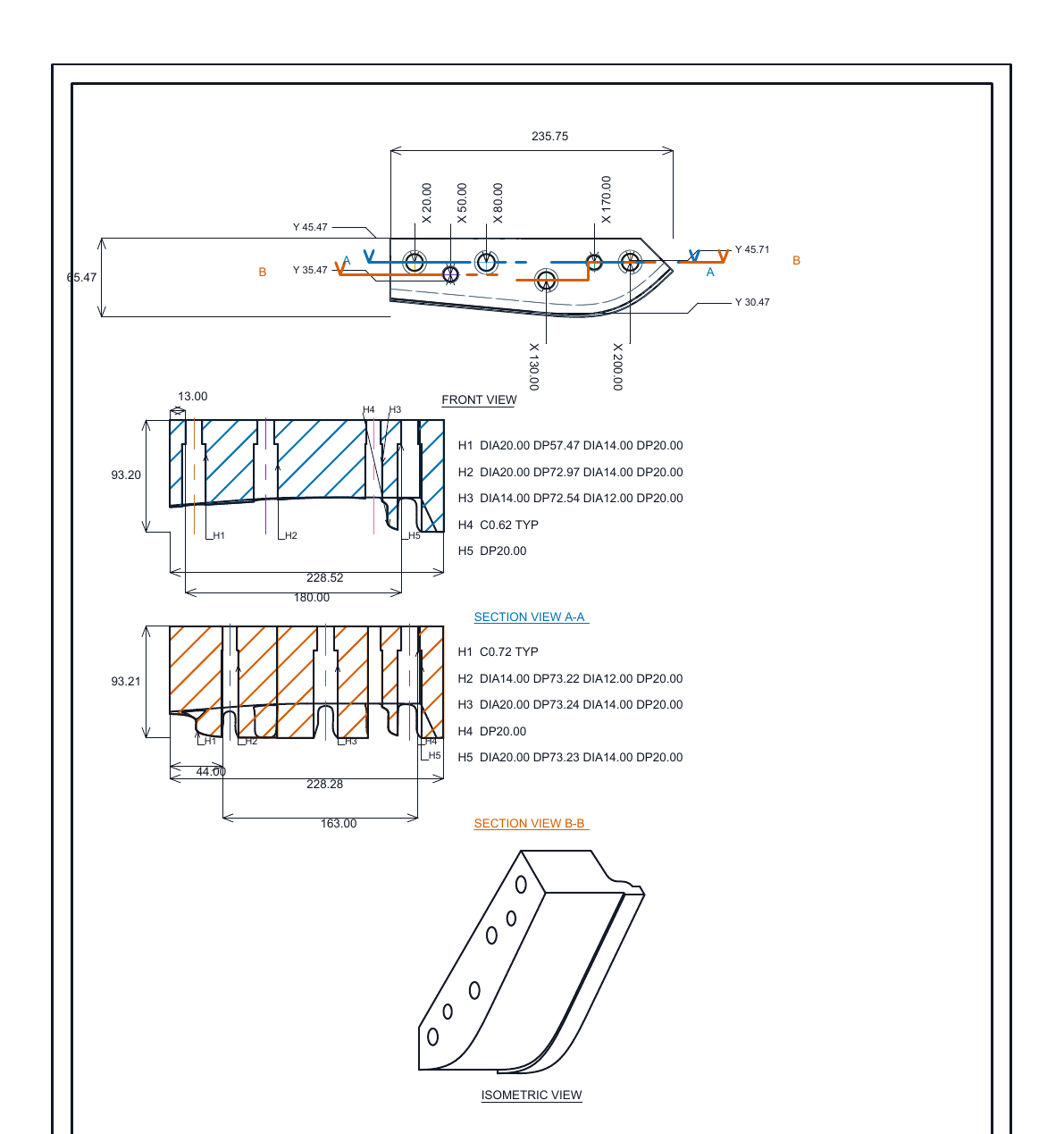
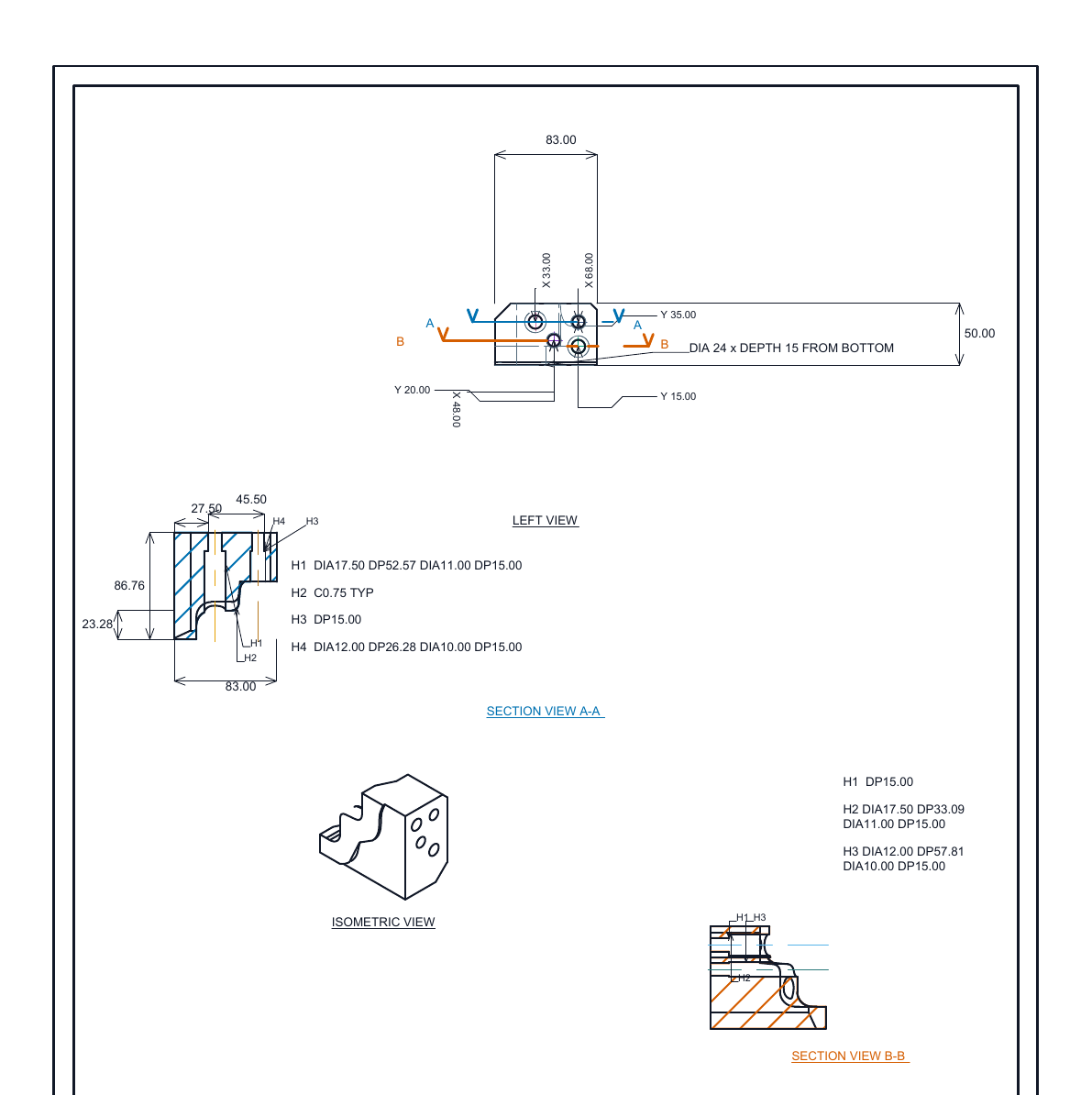
These are outputs from a held-out design-office test: the real BOM, generated manufacturing sheets and actual run disposition. Identifying names have been removed.
BLOCKED21 sheetskept editable with the generated geometry visible
SKIPPED6 rowsnon-detail items excluded before drafting
REPAIRED13 actionsbounded layout corrections, then re-audited
Blocked never means discarded. Every usable generated view remains visible and editable so a designer can correct it manually and rerun review.
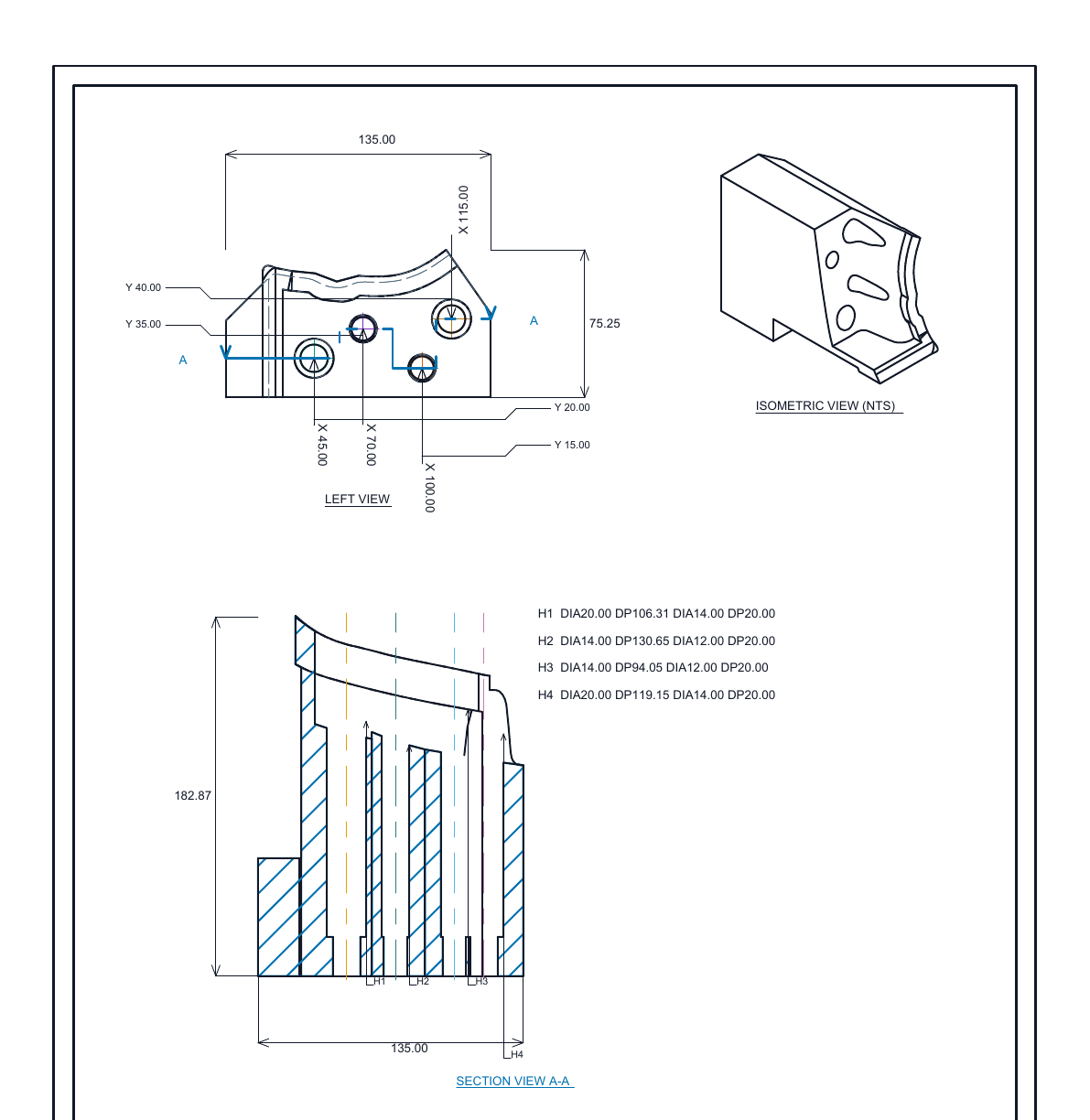
REAL 2D DRAFTANONYMISED
Production sheet · generated views, sections, hole callouts and dimensions retained
REAL 2D DRAFTANONYMISED
Sectioned component sheet · identifying title block physically removed
REAL 2D DRAFTANONYMISED
Complex component sheet · geometry and manufacturing annotations retained
REAL MANUFACTURED BOMANONYMISED
Actual quantities, stock sizes and weights; names replaced with neutral component IDs.
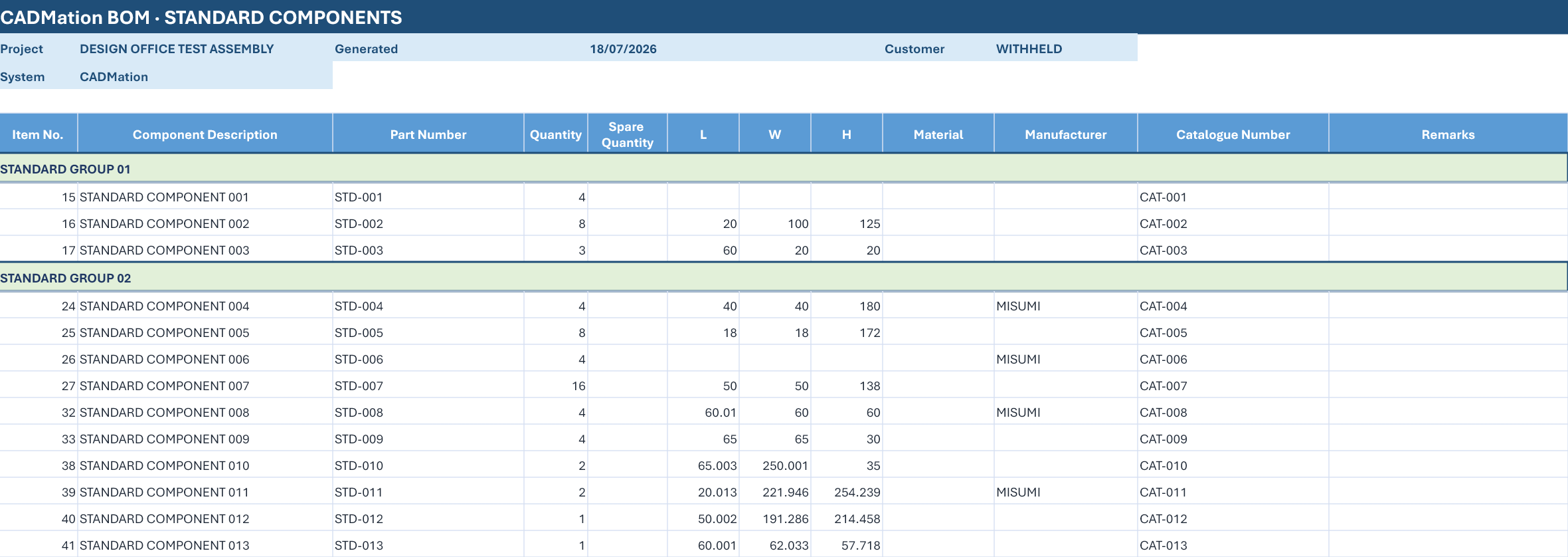
REAL STANDARD BOMANONYMISED
Actual standard-item quantities and specifications; descriptions and catalogue identifiers replaced.
Privacy treatment: customer, project, work-order and component names were removed from both the visible assets and the public geometry assets. Geometry, dimensions, counts and run outcomes remain authentic.
06 / CONTROL
Two ways to run. One person accountable.
A
AUTOMATION MODE
Full Auto
Structure the BOM, show the planned manufacturing parts, generate editable 2D drafts, run bounded review and produce the run report.
Draft plan visible before execution
Repairs limited to approved rules
Human-controlled release state
B
AUTOMATION MODE
BOM Auto
Analyze the same geometry and prepare the structured bill of materials, then hand the design back before drawing generation starts.
MFG / STD classification
Quantity and stock proposals
PDF and XLSX handoff
LOCAL
07 / PRIVATE LEARNING
Your corrections become useful. They do not become public.
CADMation keeps a local design history so your office can improve the system without silently sending private CAD or drawing changes elsewhere.
LOCAL DESIGN HISTORYDEVICE VAULT
GEOMETRY FINGERPRINTSHA256 · D9F2…8C14SAVED
BOM CORRECTIONS3 accepted editsSAVED
2D DRAFT CHANGES7 designer actionsSAVED
RELEASE EVIDENCE2 reruns · 1 sign-offSAVED
EXTERNAL TRANSFEROnly by explicit .cadmlearning exportOFF
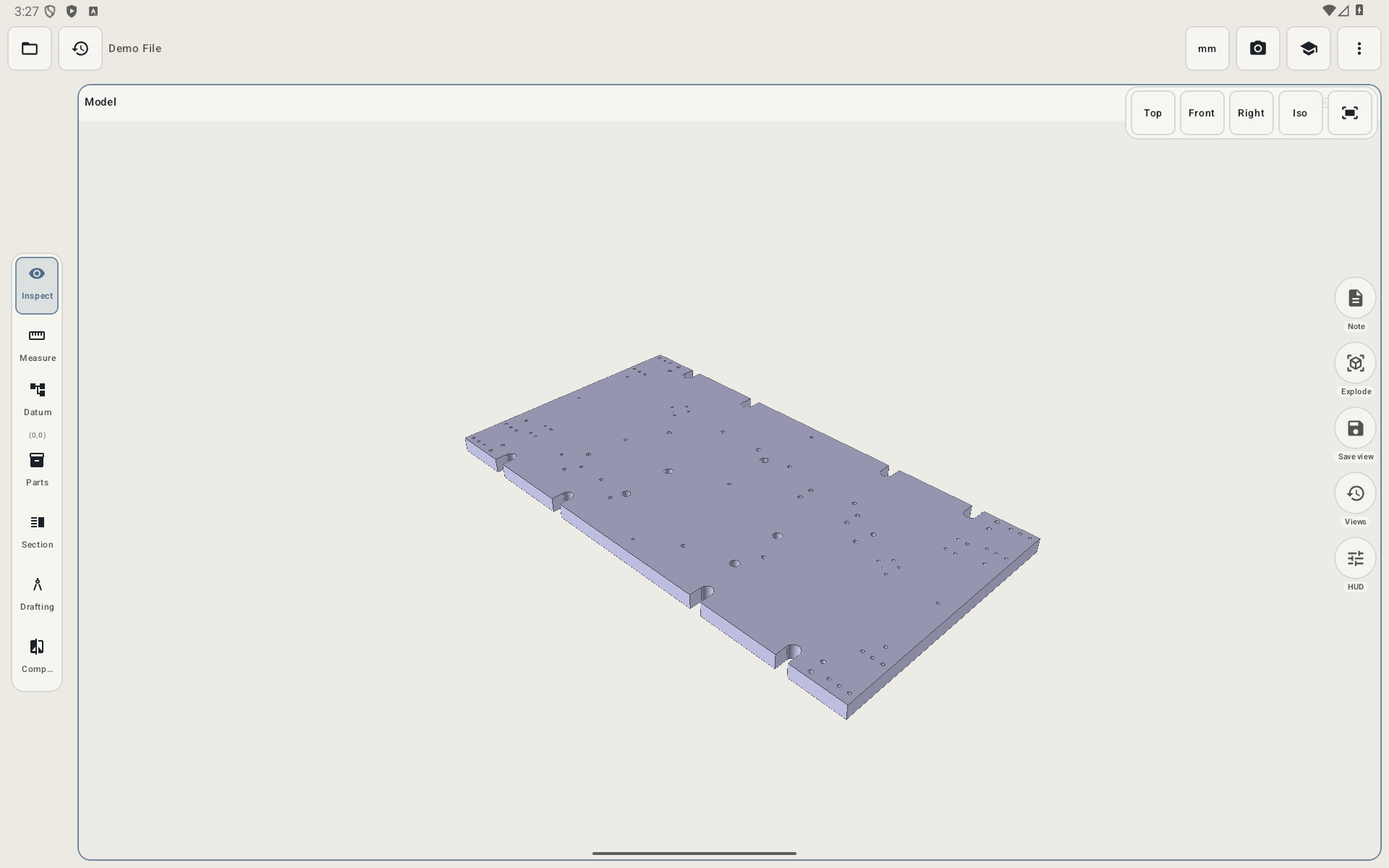
REAL ANDROID APPPARTLENS
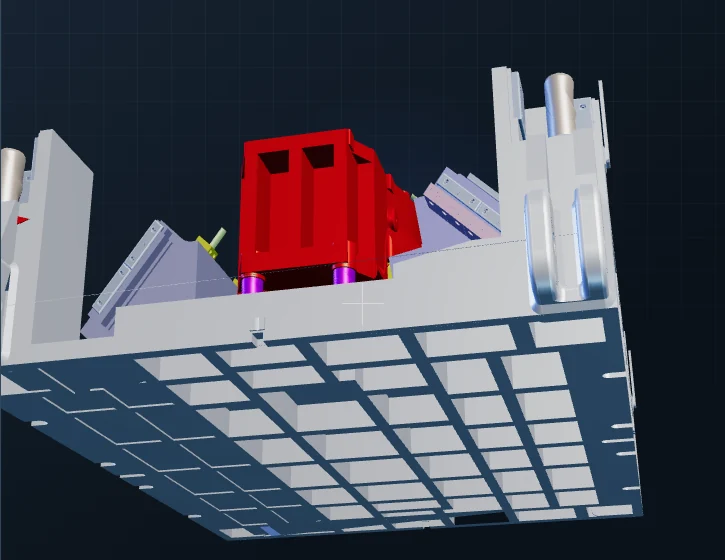
3D model workspace · captured from the installed Android app
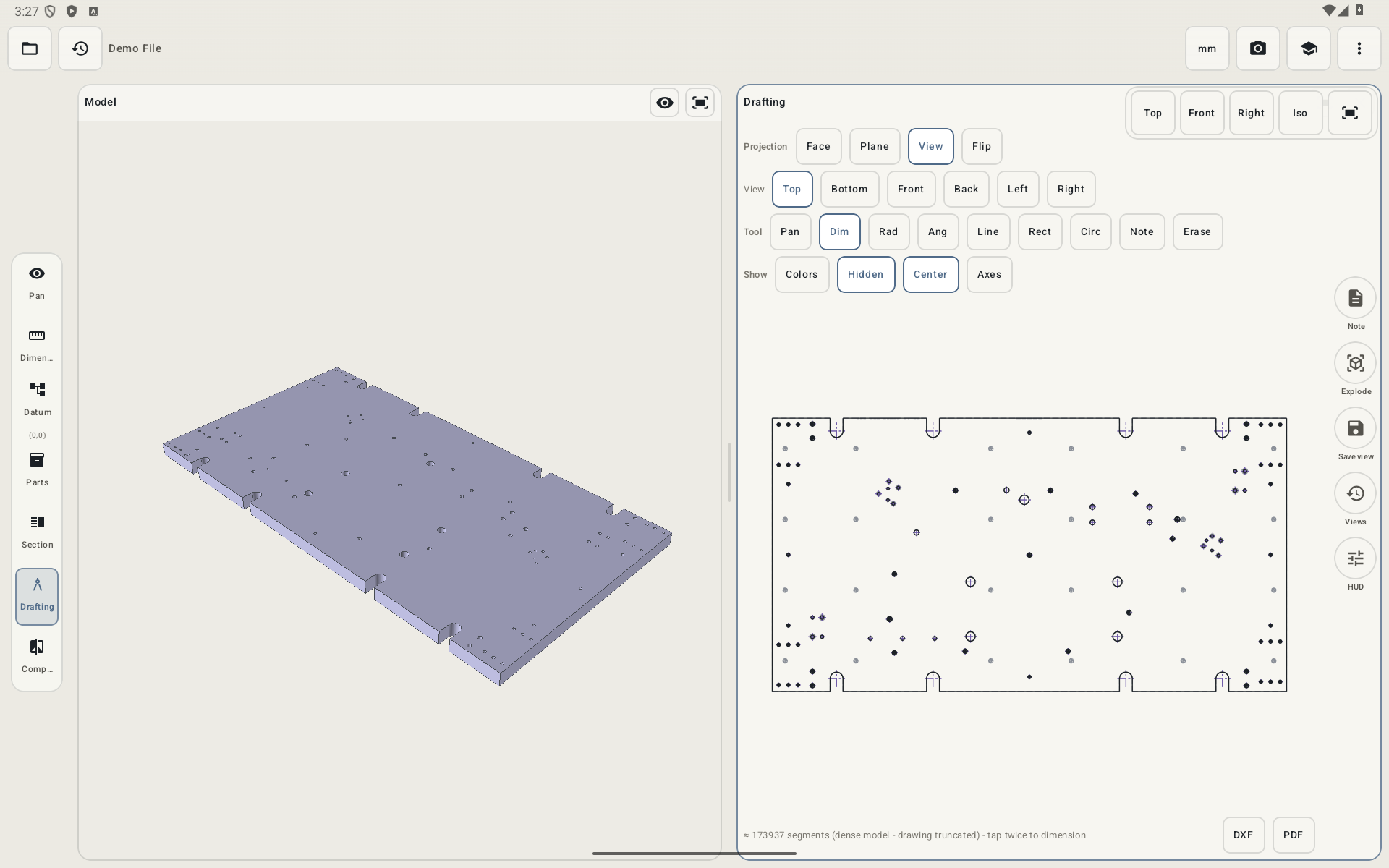
REAL ANDROID APPPARTLENS
3D + drafting workspace · real generated top-view linework
08 / ANDROID COMPANION
AVAILABLE · PARTLENS
The same geometry, on Android.
PartLens is the supporting Android app for opening raw STEP geometry away from the workstation. The screenshots beside this text are from the installed app—not product mockups.